


GUI Father
59.99$
RDGAudio GUI Father
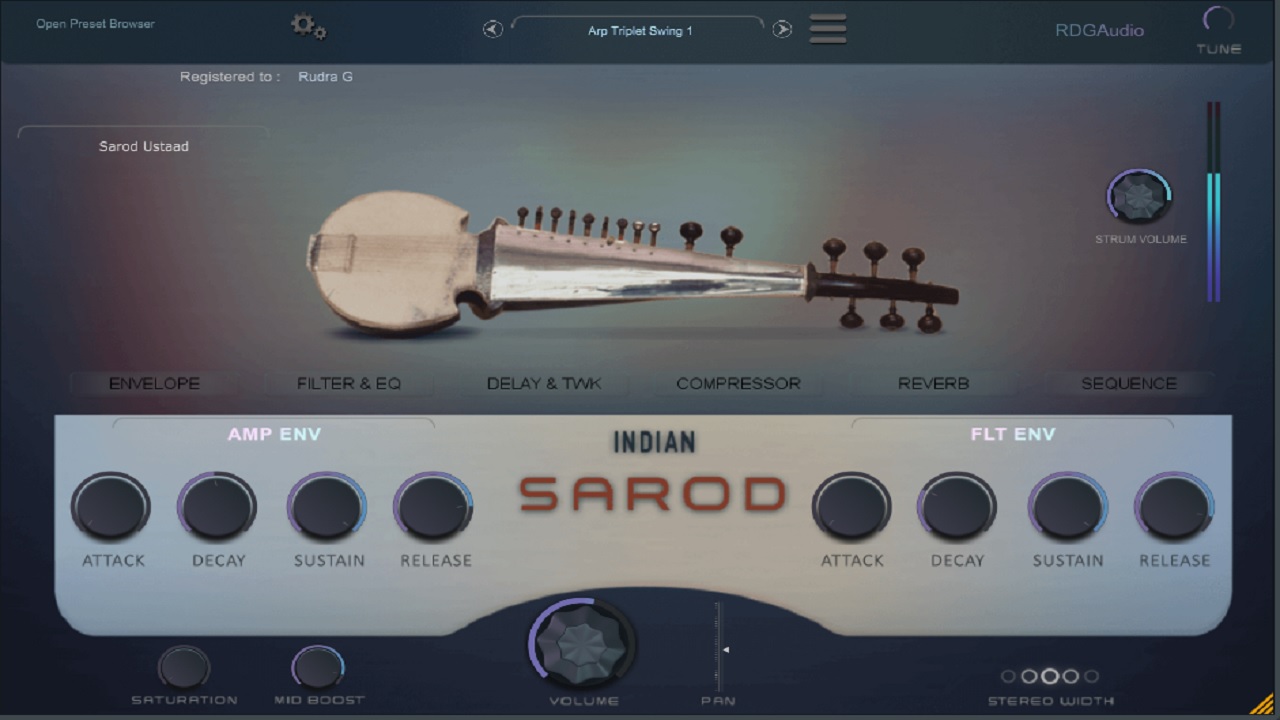
RDGAudio GUIFather is a next-generation GUI design software for Windows, built for creating professional interfaces for audio plugins, audio applications, and virtually any application that requires a powerful graphical user interface.
GUIFather brings something unique to the design workflow: a Layer-Based Editor and Node-Based Editor in one application.
With 300+ powerful tools, designer-focused workflows, effects, animation capabilities, and export options, GUIFather gives you everything you need to take your interface designs further.
No matter your level of knowledge, GUIFather helps you push your designs further.
Create. Design. Animate. Export.
RDGAudio GUIFather — Your GUI Design Workflow, Reimagined.
- Layer-Based Editor
- Node-Based Editor
- 300+ Design Tools
- Create Knobs, Sliders, Buttons & VU Meters
- Powerful Designer Workflow
- Built-in Effects
- Animation support
- Create interfaces for Audio Plugins & Audio Applications
- Design interfaces for any application requiring GUI
- Export your finished designs
- Beginner-friendly yet powerful enough for advanced designers
Description
Build. Design. Animate. Export.
Create professional knobs, sliders, buttons, VU meters, panels, displays, controls, and complete application interfaces with an intuitive visual workflow.
Whether you’re an experienced designer or completely new to GUI design, GUIFather is designed to help you turn your ideas into functional, professional interfaces.
A node-based visual editor for building animated knob, slider, and button graphics through a live compositing graph. Layers such as Body, Radial Gradient, and Blend connect via colour-typed input/output pins to form a processing chain, with results rendered instantly in the Output Preview panel on the right. A searchable node browser (Sources, Shapes, Textures, Distortion FX, Mask Generators, Layer Styles, Composite/Merge, and more) lets you drop in new effects at any point in the graph. The Inspector panel exposes per-node parameters — blend mode, opacity — for fine control, while the timeline strip at the bottom manages frame-by-frame animation across the filmstrip. Toolbar controls for frame count, resolution, and export quality, plus direct PNG/Film export and one-click “Send to Generator,” complete the workflow from design to finished asset.

VU Meter Generator — GUI Father by RDGAudio
A dedicated generator inside GUI Father for building fully animated, filmstrip-based VU meters — no manual frame-by-frame drawing required. Each meter is assembled from stacked, independently editable layers (face, needle, ticks, labels), with full control over blend mode, opacity, fill/gradient, and transform (position, scale, rotation, skew, mirroring, rotational symmetry) per layer. A live preview updates in real time as you scrub through the needle’s full sweep, so you can see the exact animation frame-by-frame before export.
Built-in Preset Gallery ships with dozens of ready-made meter styles — from classic studio hardware looks (Pro Black, Studio Silver, BBC Green, Broadcast) to vintage and character designs (Cassette Deck, Reel To Reel, Vintage Radio, Steampunk, Aircraft, Racing Gauge) — giving designers a fast starting point that can be fully customized layer-by-layer.
Finished meters export directly as PNG filmstrips or single frames, or drop straight onto the design canvas as a ready-to-use VU Meter widget — completing the path from concept to plugin-ready asset entirely inside GUI Father.

 Create , Save your own Knob, VU meter, Buttons, Sliders, panels, artwork and more.

Layer-Based Editor — GUI Father by RDGAudio
The core design engine behind GUI Father’s generators, giving every knob, slider, and VU meter a fully layered construction — just like a compositing app. Each layer (shape, fill, stroke, gradient, effect) is independently editable with its own blend mode, opacity, and complete transform stack: size, offset, rotation, scale, skew, and mirror/rotational symmetry — all stackable and reorderable via Group/Ungroup, Duplicate, and layer ordering controls.
With over 400 shapes, textures, and effects to choose from, you can build anything from a simple heptagon control cap (shown here) to complex multi-layer knob faces, arcs, rings, and gradients — combining fills, strokes, and layer styles for a genuinely polished, professional look. A real-time canvas preview reflects every adjustment instantly, with position scrubbing across the full animation range so you always see the final frame-by-frame result.
The workflow is simple: Create your layers, Animate across the frame range, and Export — as a PNG filmstrip, single frame, or directly onto the canvas as a ready-to-use Knob, Slider, or VU Meter widget. One consistent layer system powers every control type in GUI Father, so skills learned designing one carry straight over to the next.
Want to Own GUI Father ? Here is How
After Purchase Install it and you will get Activation code, please send the code to us, we will send you the Authorization code with in 24-48 hours. Please have patience, since this is a manual process.
Additional information
| OS | Mac AU, Windows VST3 |
|---|
TECHNICAL SPECS
- Recommended Graphics Card 2GB minimum (NVIDIA and 4GB AMD) for smooth operation. 4-8 GB recommended
- RAM 8 GB (16 GB recommended)
- Intel/AMD CPU ( PC) and Intel / Universal binary (No Code sign-in)
- Windows 10,11 and above
- Tested on Latest Mac OSX
- No JAVA Runtime required
Features
- Layer-Based Editor
- Node-Based Editor
- 300+ Design Tools
- Create Knobs, Sliders, Buttons & VU Meters
- Powerful Designer Workflow
- Built-in Effects
- Animation support
- Create interfaces for Audio Plugins & Audio Applications
- Design interfaces for any application requiring GUI
- Export your finished designs
- Beginner-friendly yet powerful enough for advanced designers
You must be logged in to post a review.
Reviews
There are no reviews yet.